Give work a clear owner
Assign work to a user, an entity or an external contact. Set the priority and due date alongside the instructions.
GOSO · Work Orders
Assign work, share documents and review completion with your teams and contractors.
Observations and Work Orders are included together in one GOSO package.
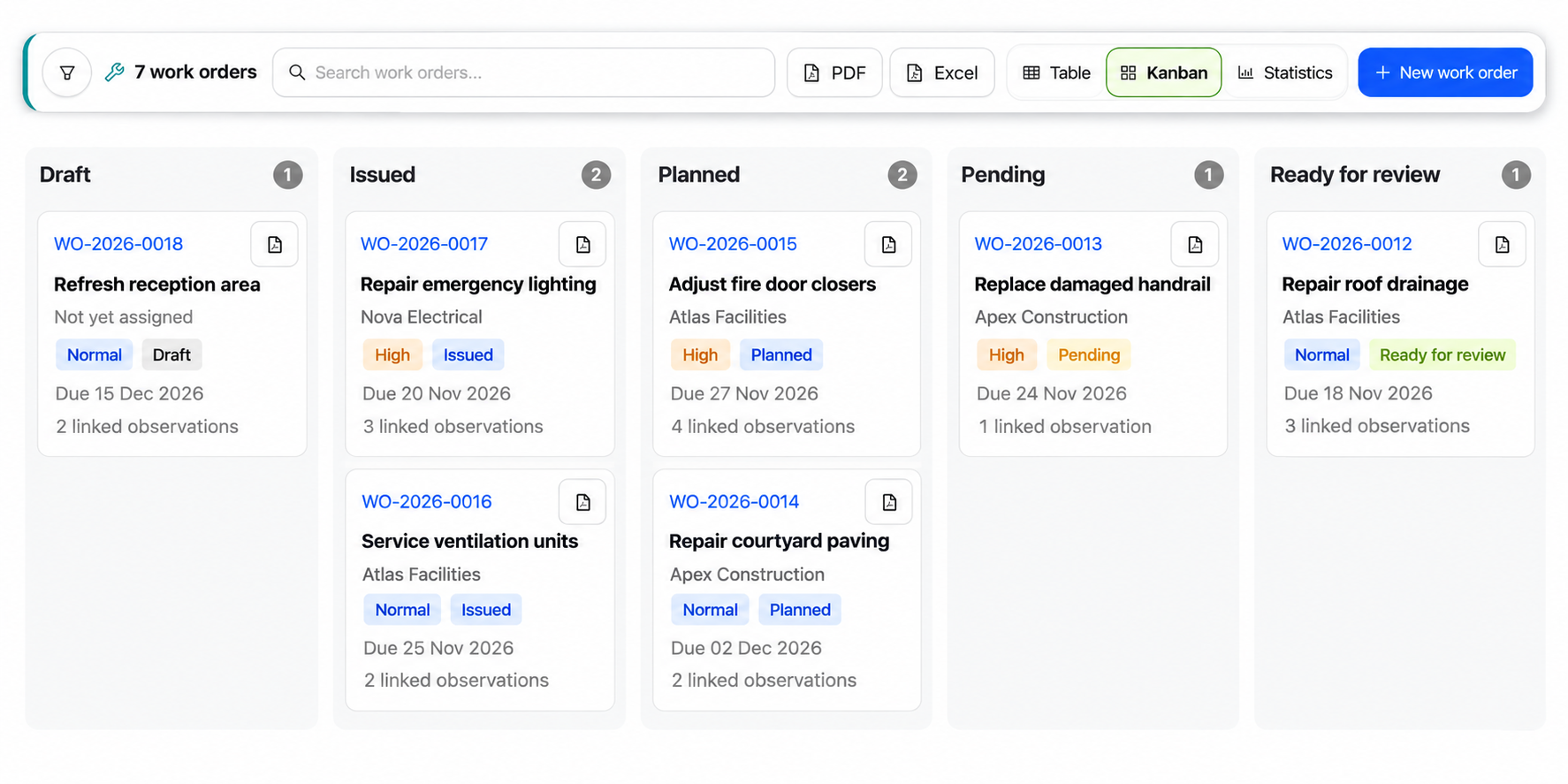
Coordinate the work
Keep instructions, responsibilities and progress in one work order.
Assign work to a user, an entity or an external contact. Set the priority and due date alongside the instructions.
Define the documents needed for the job and follow their review alongside the work.
Collect completion evidence and give reviewers the information they need to assess the finished work.
Connected to Observations
Link an intervention to its observations. Keep the photos, inspection data, history and plan location within reach.
Explore ObservationsIllustrative example · Warehouse lighting
Observation
 Inspection photo
Work order
WH-WO-2026-00011Repair and test the aisle 03 luminaire. Attach completion photos.
09.01.01 · Lighting
Warehouse A · Aisle 03Illustrative plan
A visible workflow
Follow a typical work order from preparation through execution and review.
Prepare the scope and instructions.
Send the work to its recipient.
Confirm dates and carry out the work.
Submit completion evidence for review.
Accept the completed work.
Finalize and retain the record.
Available actions depend on the current status and the user’s permissions.
Documents and collaboration
Set document requirements for the intervention, such as:
Review submissions alongside the work order and keep supporting files available for execution and completion review.
Coordinate teams and contractors with access defined by their role and the work order.
Visibility and reporting
Share a clear view of your teams’ work and progress.
Browse the register as a list or by status, with priorities, due dates and recipients visible on each work order.
Review status and priority breakdowns, recipient workload and completion times to understand progress.
Export the displayed register or statistics for reporting, and generate an individual work order PDF for a detailed record.
Keep your own copy
Export each work order as a ZIP archive. Keep a local copy of its records and documents, ready to store or share outside GOSO.
The detailed work order record.
An individual PDF for each observation.
Instructions, scope files and other attachments.
Submitted method statements and risk assessments (MSRA), quotations and other files.
One GOSO platform
Connect the initial finding to the completed work with Observations and Work Orders.
Observations and Work Orders are included together in one GOSO package.